Find, Fix, Verify
CVE Lite Classroom · Learn security by doing.
Classroom repository · CVE Lite CLI repository · CVE Lite website
Allow 60 minutes after setup for students familiar with dependency concepts, or 75–90 minutes with the beginner introduction and discussion. Use the small command-line application provided in this exercise folder. No prior exercise checkout is required. Prerequisites: basic JavaScript, a terminal, and one supported package manager.
Start with Dependency security: before you start. It explains the supplied app, manifests and lockfiles, direct/transitive dependencies, an annotated scan finding, advisories, version changes and verification. In a student kit this is DEPENDENCY-BASICS.md.
Select npm, pnpm, Yarn Classic, Yarn Berry or Bun.
Read the worksheet, complete the submission, and follow the selected manager's setup. Instructor materials: walkthrough and rubric. Each manager includes a separate solution and historical before/after reports.
Example solution
Open the solution directory for the corrected apps across all five package-manager tracks, worked explanations, and instructor references.
Do not deploy this intentionally vulnerable app. The full safety and setup guides are at the repository root under docs; exported kits include them locally.
What the exercise looks like
Starting point
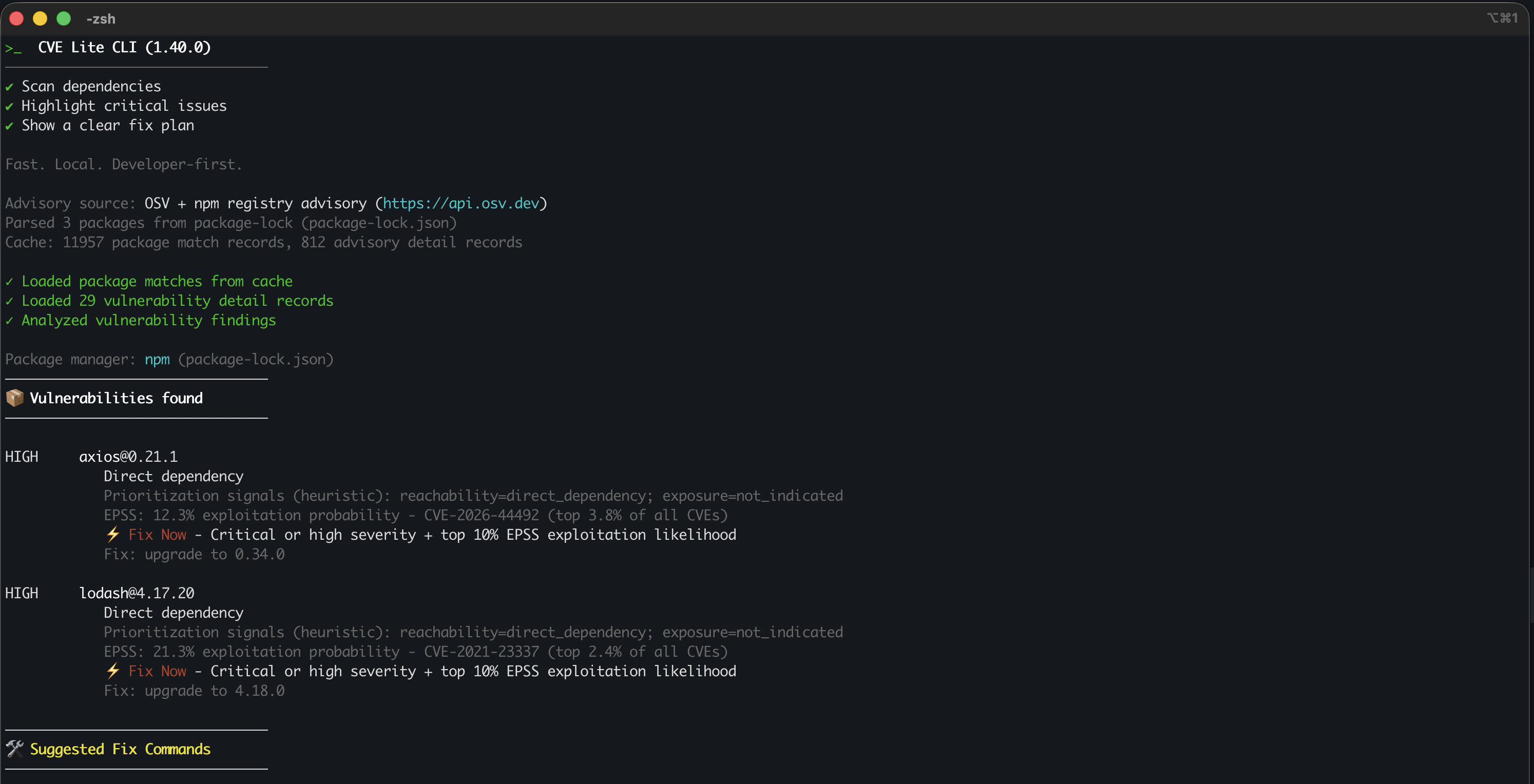
CVE Lite identifies the vulnerable dependencies in the supplied npm starter.
Fix guidance and scan summary
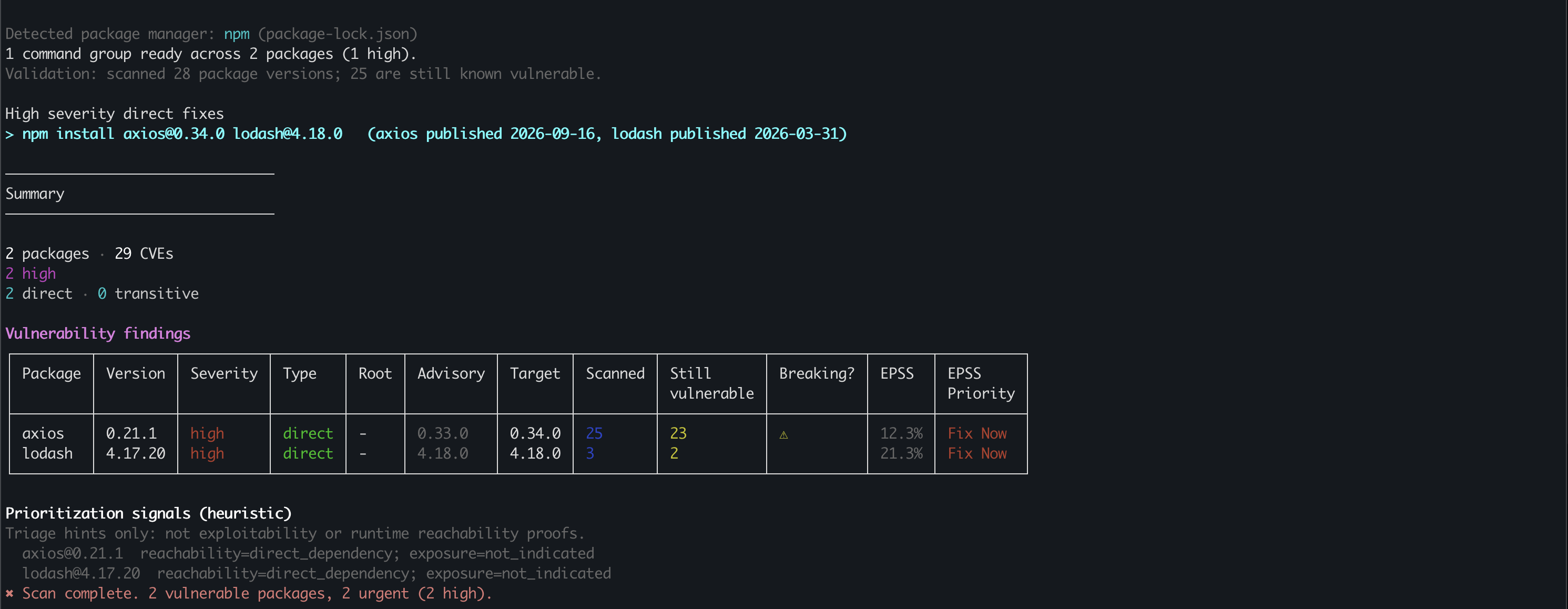
The same scan continues with suggested fixes and its findings table. Review the recommendations before applying a change, then run the tests and rescan as directed in the worksheet.
After repair
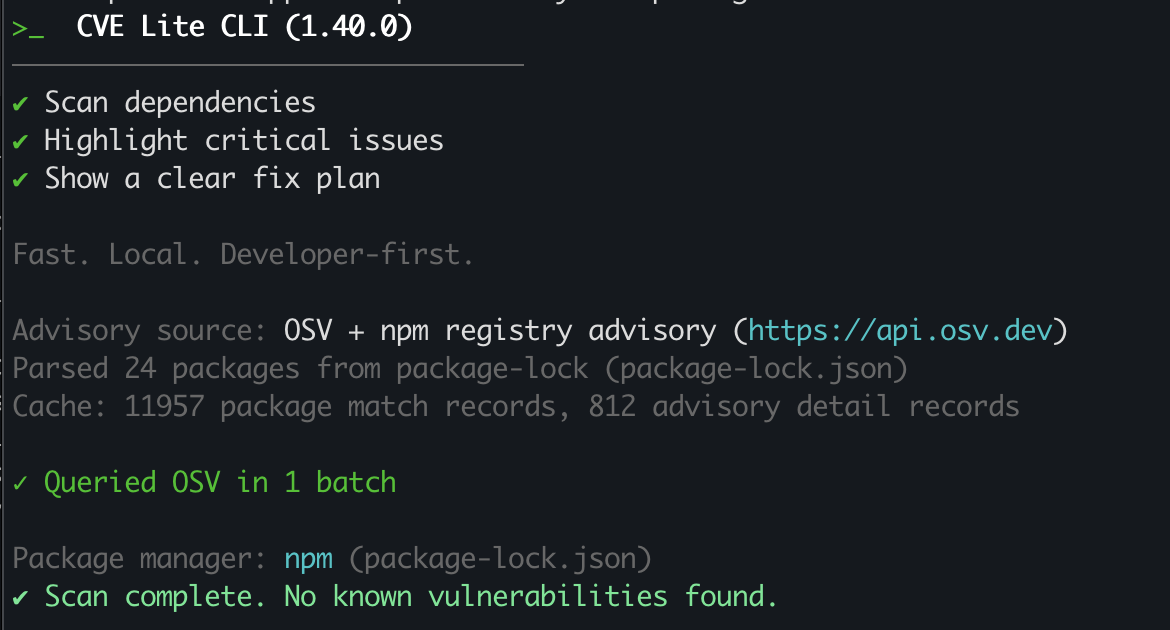
The post-repair scan completes with no known vulnerabilities found.
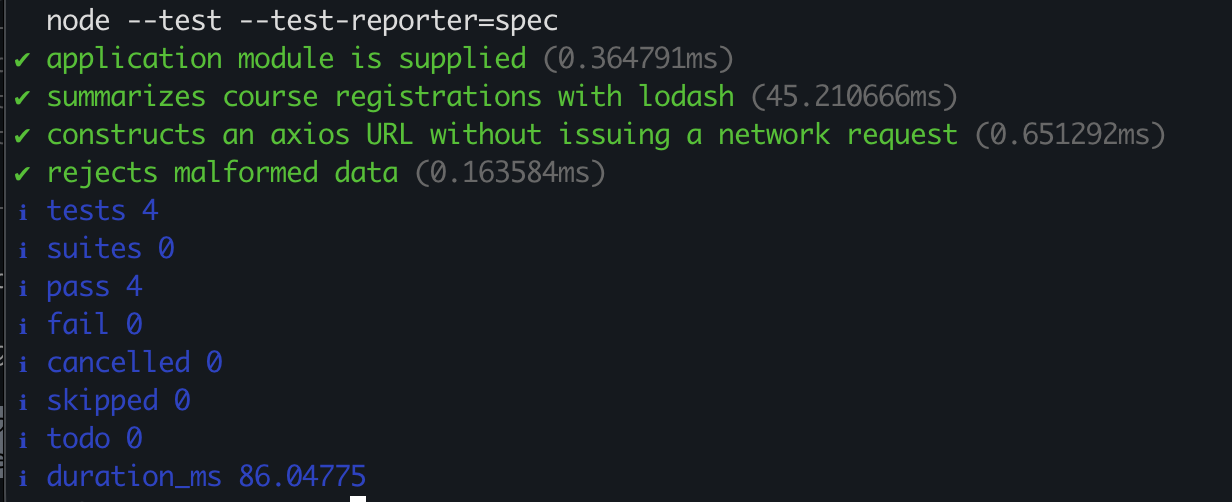
All four application tests pass after repair. Together, the test output and rescan demonstrate the verification steps in the worksheet.
See screenshot sources and context. Use your own run as submission evidence.