07: Cryptographic Failures: Can you read the password?
CVE Lite Classroom · Exercise catalog
Use the supplied campus club login app to discover why a working login can still store passwords unsafely. Replace reversible encoding with a standard password-hashing helper, then test both security and functionality.
Allow 75–90 minutes after setup. You need a desktop browser, plain-text editor, and Node.js 22 or newer. No prior cryptography or server programming is expected. No package installation, database, external account or internet connection is needed for the lab.
Start as a student
- Download and extract the repository. Do not work inside a ZIP file.
- Open
exercises/07-cryptographic-failures/studentin your editor. - Open a terminal in that folder (VS Code: Terminal → New Terminal). A terminal is where you type commands and press Enter.
- Run
node --version. Ask your instructor for the approved installation method if Node is missing or older than 22. - Run
node server.mjsand leave that terminal running. - Open http://127.0.0.1:3000. Do not double-click the HTML file; this lesson needs its local server.
- Read safety, then follow the worksheet. Edit only
password-store.mjsin the app folder.
From the repository root, the equivalent commands are:
cd exercises/07-cryptographic-failures/student
node server.mjs
Stop with Ctrl+C. After editing code, save, stop and restart the server, refresh the page, and create the fictional account again. Restarting clears the account. Browser refresh alone does not reload server code.
What you receive
A supplied account-creation and password-checking app, teaching-only storage inspector, two-line guided repair, submission template, and seven checks. The untouched starter intentionally passes five and fails two. The completed repair should pass all seven.
For instructors
Use the teaching plan, walkthrough, 20-point rubric and worked solution.
Export a student-only kit from the repository root:
node tooling/package-student-kit.mjs 07-cryptographic-failures node ./dist/password-storage
Choose a new destination if it exists. Distribute the whole output folder. Solutions are public in the repository but excluded from the kit.
Learning boundary
A focused example of OWASP Top 10:2025 A04: Cryptographic Failures. The supplied helper uses Node's built-in scrypt with a random salt. This is not a complete authentication system. CVE Lite CLI detects dependency vulnerabilities in other lessons, not this application-level storage flaw.
What the exercise looks like
Starting point
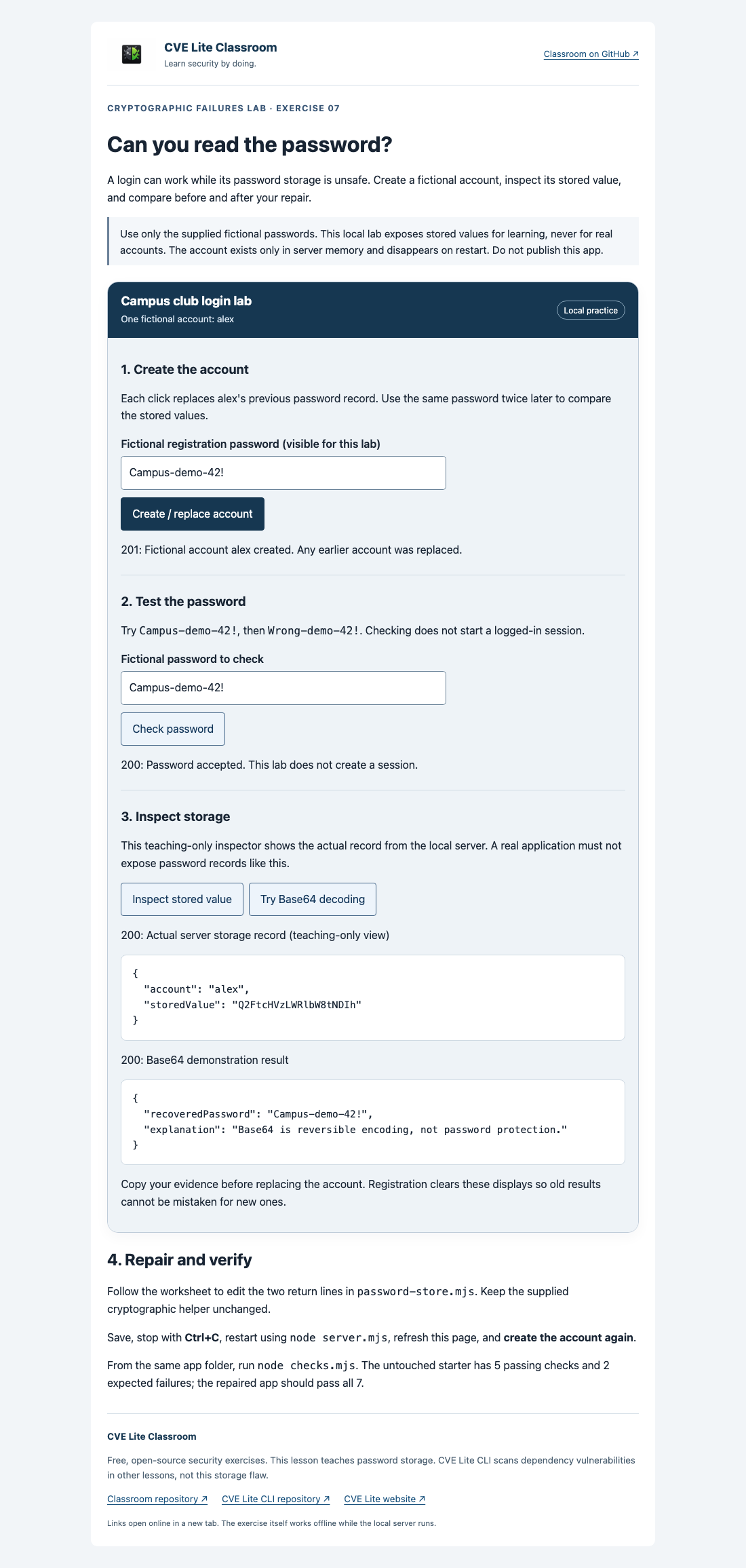
The starter accepts a password but stores it as reversible Base64.
Expected result
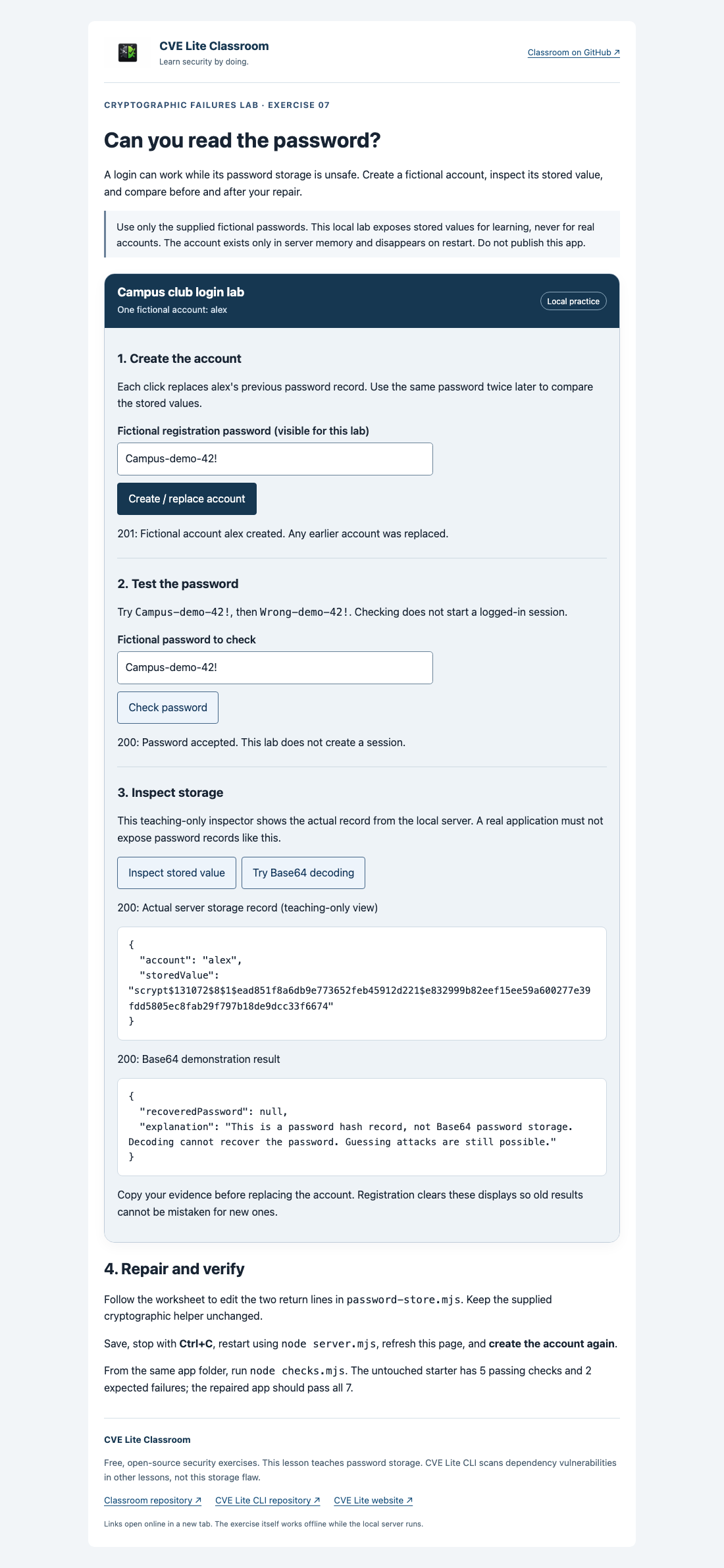
The repaired app verifies passwords without keeping a reversible password representation.
See screenshot sources and context. Use your own run as submission evidence.